

Intro
A good accessory deal removes a daily annoyance: a cramped single screen, a poor typing feel, a laggy mouse, or chargers fighting for an outlet. Amazon’s October sale is over, so this shortlist was re-checked on Oct 8, 2026: picks whose sale price expired were replaced or now show the current price. Prices are US Amazon prices from the BasketPrice deal tracker; “typically” is its usual tracked price, not an inflated list price. None of the hub, keyboard, mouse, mic, or power-strip picks we listed during the sale showed a current tracked price, so all five slots changed.
What to look for
- Buy for the bottleneck you actually have; extra ports do not help if your laptop already has them.
- For keyboards and mice, layout, hand fit, and switch feel are more important than gaming branding.
- A good USB microphone beats a laptop mic for calls; XLR only matters if you plan to add an audio interface.
- Check dimensions, power delivery, and connector compatibility before ordering a hub or desk power strip.
Deal table
| Pick | Best for | Price now |
|---|---|---|
| ASUS ZenScreen MB169CK | Second screen on the go | $89 (typically $109) |
| Logitech G316 X 98 | Mechanical typing and gaming | $90.23 (typically $119.99) |
| Razer Viper V3 HyperSpeed | Wireless gaming mouse | $42.99 (typically $57.99) |
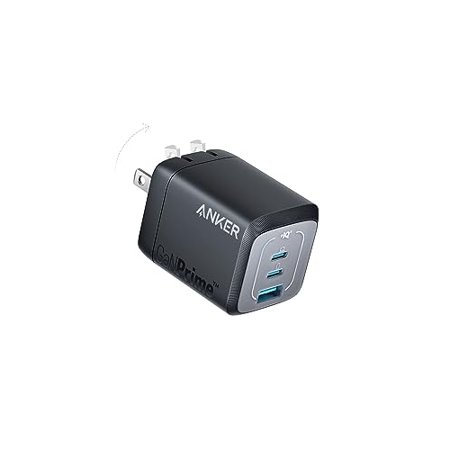
| Anker 67W 3-Port GaN Charger | Laptop + phone charging | $35.99 (typically $39.99) |
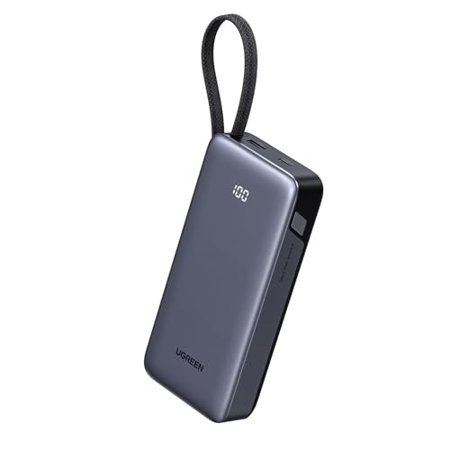
| UGREEN Nexode 20000mAh 45W | Laptop-friendly power bank | $32.99 (typically $45.99) |
1. Best desk expansion: ASUS ZenScreen MB169CK
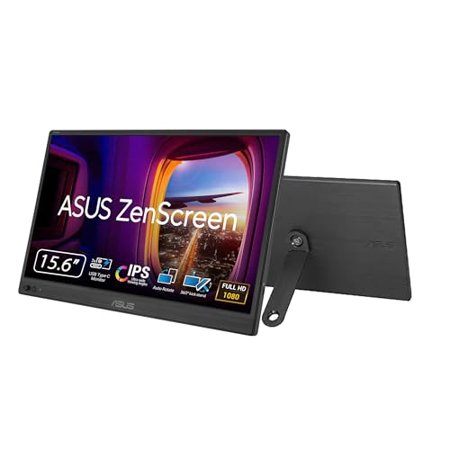
The ZenScreen MB169CK (B0CPFYVPBG) is a 15.6-inch 1080p portable monitor for $89 (typically $109). One USB-C cable runs it from most modern laptops. It is the cheapest way to get a second screen at a café desk or in a hotel.
2. Best typing upgrade: Logitech G316 X 98
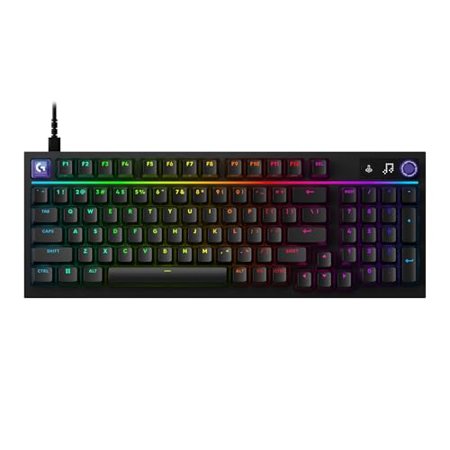
The G316 X (B0GWLRMXJJ) is a 98% mechanical keyboard with linear switches for $90.23 (typically $119.99). It keeps the number pad in a compact footprint, which suits spreadsheets as well as games.
3. Best wireless gaming mouse: Razer Viper V3 HyperSpeed
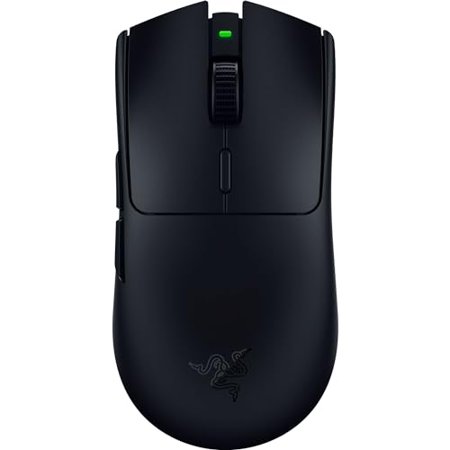
The Viper V3 HyperSpeed (B0CF4DJM7F) is a light 82g wireless mouse for $42.99 (typically $57.99). It uses a 2.4 GHz dongle for low latency and runs on a single AA battery, so there is no cable to manage.
4. Best desk power: Anker 67W 3-Port GaN Charger
The Anker 67W (B0C4YTB56H) is a compact three-port GaN charger for $35.99 (typically $39.99). It can top up a thin laptop and a phone from one outlet. Bring your own USB-C cables.
5. Best laptop-friendly power bank: UGREEN Nexode 20000mAh 45W
The UGREEN Nexode 20000mAh (B0DSPVDYQ9) is $32.99 (typically $45.99). Its 45W output and built-in USB-C cable keep a tablet or ultrabook going on travel days, though larger laptops will charge slowly.
How we ranked
- Tracked deal prices rather than inflated list prices
- A clear use case and trade-off for every pick
- Useful specs and features for the category
- Product pages that can be checked before buying
Verdict
| Use case | Pick |
|---|---|
| Most useful upgrade | ASUS ZenScreen MB169CK |
| Typing and gaming | Logitech G316 X 98 |
| Wireless gaming | Razer Viper V3 HyperSpeed |
| Desk power | Anker 67W 3-Port GaN Charger |
| Power on the go | UGREEN Nexode 20000mAh 45W |
Prices change: figures are US Amazon prices verified by the BasketPrice price tracker on Oct 8, 2026. “Typically” is the tracker’s usual price, not an inflated list price. Verify the live Amazon listing, seller, configuration, and return policy before checkout.
FAQ
Do I need a Thunderbolt dock?
Only if you need higher-bandwidth displays, many peripherals, or one-cable charging at a known wattage. A USB-C hub is cheaper for basic HDMI, USB, and card-reader needs.
What should I upgrade first?
Fix the thing you touch or hear every day: often the chair/monitor height, keyboard, mouse, or microphone rather than another storage device.